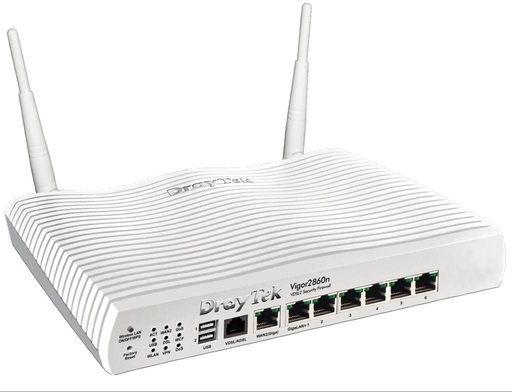
If trailing Ethernet cables all around the house doesn't appeal, you could use powerline networking or better still, consider installing a permanent wired network. If you're good at DIY or if your home is currently being renovated or rewired, now is a good time to do this (or have this done for you). It's no more difficult than electrical rewiring and need not cost a lot to put a double network socket into each room cabled back to a network switch or even a patchpanel with cat 6-grade cable, with possibly more outlets in rooms used as an office or containing audio-visual equipment, home cinemas, etc. And if you're an AV fan, the network could be used to distribute audio and video all around the house, into garden buildings, etc opening up all sorts of interesting possibilities.

 Probably the best way to see what's going on with the wi-fi networks in your current location and which channels are being used is to use a wi-fi network analyser app on a smartphone. Many of these can be downloaded for free and some offer added features for a small extra payment. On the left is a screenshot from the 'channel radar' feature of WiFi Overview 360 Pro for Android which shows graphically which channels are in use along with their signal strengths. As you can see, channels 1 & 6 have quite a few networks using them whereas the networks with names beginning with 'Lausanne22' have had their channels changed manually to space them out onto unused channels. However, there are only 13 channels available in the 2.4 GHz band (and only 11 if your router or wi-fi access point is intended for a region other than Europe, such as the US) so it can get very congested.
On the 2.4 GHz band ideally there should be 4 unused channels between every channel that is in use, for the best results. This means using channels 1, 6 and 11, or 2, 7 and 12, and so on and also means the band's channel capacity is effectively only 3 channels.
In the same building, on the right is a screenshot showing only one channel on the 5 GHz band is in use leaving many free ones. If your devices support 5 GHz operation then use this band although older laptops and some devices such as home security cameras and remote controllable cat flaps (yes, really) are only designed to be used on 2.4 GHz wi-fi networks. Using the same 4 channel spacing rule as for the 2.4 GHz band, the total channel capacity of the 5 GHz band is 43 channels.
5 GHz wi-fi offers faster data speeds but a downside is a shorter wi-fi range and since it uses a shorter wavelength radio signal, there are more objects around in the average home that may block the signal.
While many routers have an 'auto' setting which claims the router will detect channel usage in its vicinity and select the best available channel, this rarely works and it is best to manually select a quiet channel based on what you find using a wi-fi network analyser. You can do this through the router's control panel accessible through a web browser using either a wi-fi connection or a wired link.
- purchase one or more wireless access points (WAP) - these can be connected to your router via an Ethernet cable or a wired network connection in the building and allow you to add a local wi-fi network in another part of the premises. This is the most reliable option and is the method the college uses for its wi-fi networks; if you have more than one broadband connection you can assign different WAPs to different broadband connections.
- buy a wi-fi range extender - these are radio repeaters which pick up the signal from your wi-fi router and re-broadcast it locally. This is less reliable than a WAP but avoids the need for an Ethernet connection; some of the newer range extenders are dual function and can be switched to a WAP mode.
- use a 'powerline network' adapter - these use the building's mains power wiring to carry the network signal from one power socket to another. At its simplest, a pair of powerline adapters, one with a built-in WAP, are used; the adapter with the WAP is plugged into a power socket near where the wi-fi signal is required and the other adapter is connected to the router by an Ethernet cable and plugged into a nearby power point. There are all sorts of variations on this including powerline adapters which have Ethernet sockets in addition to WAPs and it is possible to effectively wire up a whole house with Ethernet in this way although connection speeds and reliability can be unpredictable. There's a good explanation of powerline networking here.
- consider installing a mesh wi-fi - these use multiple repeaters through the building which communicate between each other to provide a single unified wi-fi network. In a way they are similar to range extenders but are more intelligent and require little in the way of setting up.
You should be able to remain connected to a remote system via ssh for months on end even without resorting to keep-alives and you certainly can with BT and Zen Internet connections but some ISPs (TalkTalk, for example) randomly disconnect and then reconnect the broadband service every few days. Some ssh connections will survive the disconnection and resume afterwards but others will end with a depressing message similar to this one:
Fssh_packet_write_wait: Connection to 155.198.192.18 port 22: Broken pipe